





You can install extensions and updates via Composer
See Magento (and other software) versions we support and guarantee their compatibility with our extensions


Pss… Ready to break into the global market? Go ahead, but make sure you have a ready privacy-proof strategy! Cookie Consent Helper for Magento 2 is here for you to protect your business with precise consent collection and advanced privacy documentation management across the whole world.


So many countries, so many laws… But no worries — Cookie Consent Helper studied them all and is ready to make your Magento 2 store compliant with any cookie policy!
👀 Challenge
We all are aware of enormous fines and litigation for breaching the EU Cookie law (if not, ask Amazon). No one (including you) wants to waste money and lose customer loyalty, right?
✊ Helper’s mission
No risks, no lawsuits, no penalties. Mr. Helper is your personal secretary who informs customers, gets their consents, keeps all documentation, and is always accountable under the cookie law in your Magento 2 store.
Are you using Google or Microsoft advertising/analytics tools and selling to customers in the EEA, UK, or Switzerland?
We have great news for you!
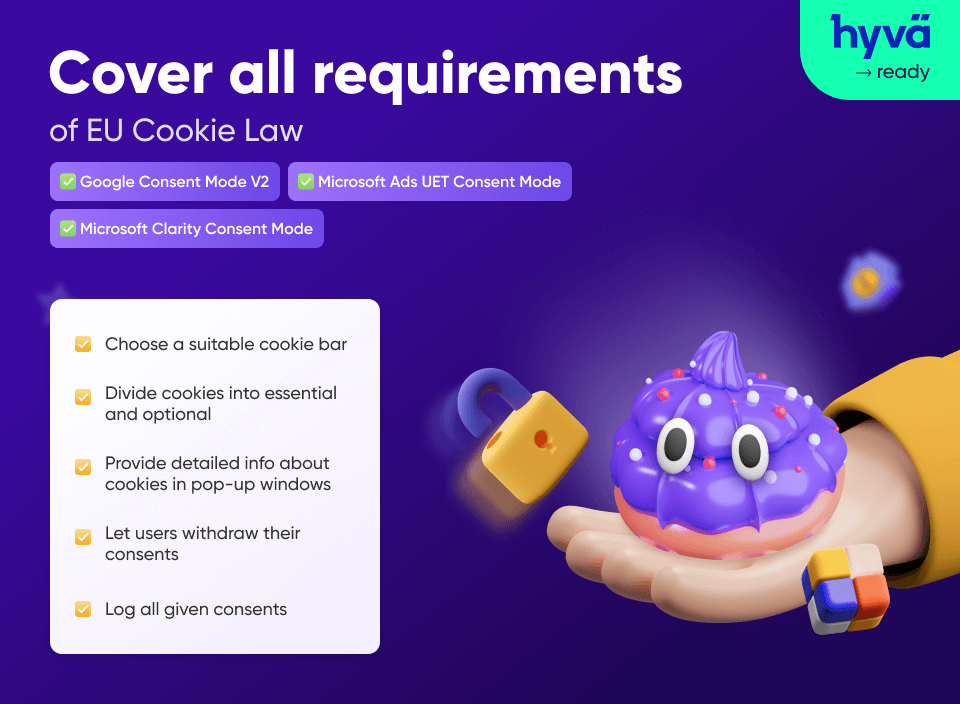
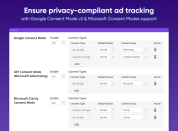
Our Cookie Consent (GDPR) extension is now compatible with Google Consent Mode v2, Microsoft Advertising UET Consent Mode, and Microsoft Clarity Consent Mode. With consent modes enabled, you can set default consent states and automatically update them depending on users’ consent decisions.
Data collection continues even if users decline the corresponding cookies, but only a minimal amount of anonymized data is gathered and sent. For example, Google fills data gaps using conversion and behavioral modeling.
Don’t take risks! Respect user choices to comply with the latest privacy regulations and keep your tracking capabilities functioning properly.
We're currently exploring the demand for developing Magento 2 Cookie Management Platform (CMP) extension, featuring TCF 2.2 integration and Google CMP certification. If you're interested, please provide your email in the form on this page.
3 types of Magento 2 cookie notices are available: just choose the one that suits your website best.

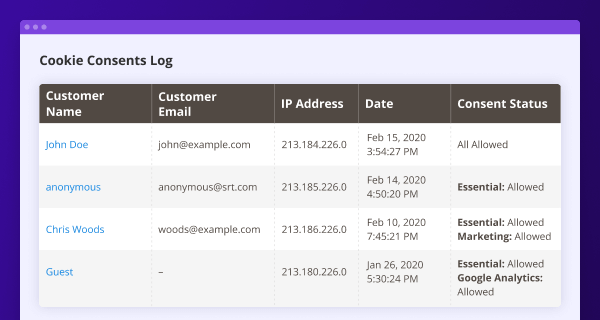
Magento 2 Cookie Consent Helper won’t let you get into trouble – all consents (even guest ones) are recorded and kept in a separate grid. Filter them by any parameter, and be sure your business is safe in controversial situations.
Log everything:
One more thing – your customers can revoke their cookie consents anytime in Magento account, but the extension automatically updates consent status.
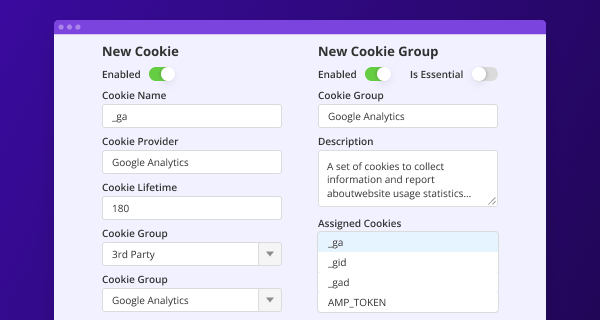
Add any cookies, customize their descriptions and lifetime, and switch them manually between groups to comply with the EU Cookie law using Magento 2 storefront.
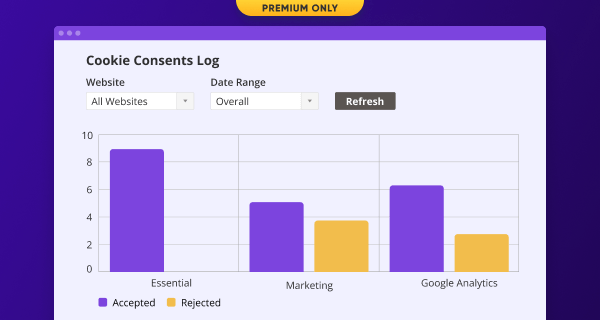
Regulations are constantly changing, customers become more demanding. That’s why Magento 2 Cookie Notice extension keeps abreast and analyzes the performance of each cookie group. Just view the reports from time to time to find the weak spots and make your privacy strategy most efficient.
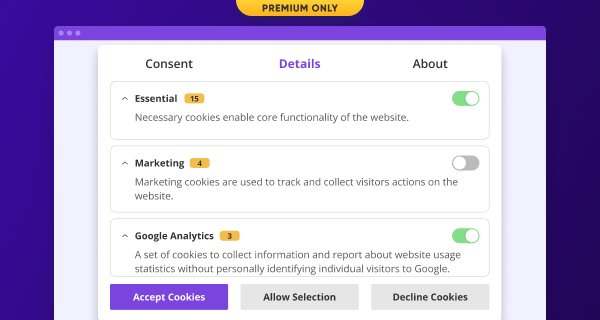
The Premium solution can offer one more cool thing – an all-in-one Magento 2 cookie popup. Let clients manage everything in one place:
Geolocation detection
3rd-party cookie blocking
Responsiveness and cross-device support
Automated policy generation
WCAG & ADA compliance
German language support

Amasty's Magento 2 Cookie Consent (GDPR) extension provides a real (not formal) compliance by blocking all first- and third-party cookies on your website until consent is given.
Cookie Consent
GDPR Pro
GDPR Premium
To enable GDPR cookie notice in Magento 2, install and configure this extension. For your cookie notification, you will be able to choose between classic bar, sidebar, and popup. Customize its frontend view to make it compatible with your theme.
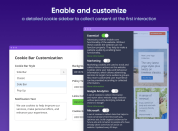
Magento 2 cookie notice can be shown in 3 ways – a classic bar, a sidebar, or a popup. You can choose the notice that suits your website best in the Stores → Configuration → Amasty Extensions → Cookie Consent → Cookie Bar Customization. Configure the colors and button namings for each bar type. In the Premium extension package, you can also enable the extended popup.
Each Magento 2 cookie is displayed in the Amasty → Cookie Consent → Cookies tab. To add a new one, hit the Add New Cookie button. Specify cookie details and save the changes. Now you can assign a new cookie to a particular group. To do this, navigate to the Cookie Groups section and edit a particular group. Newly created cookies will appear in the Assigned Cookies field.
Looking for more services for your business? Check out our most recent offer - Hire WooCommerce Developers. Boost your store with the power of most efficient developers from Amasty and maximize your revenue.









Drop us a line and we'll customize this extension for you!
You can install extensions and updates via Composer
See Magento (and other software) versions we support and guarantee their compatibility with our extensions


Login and Registration Form